
I forgot my password - what next?
- Go to Log in → Forgot password
Reset your password by following the instructions sent to your email address.
Password reset emails may also be sent automatically for security reasons or after periods of account inactivity.
- Alternatively, you can use a One-Time Password (OTP) from the login page to access your account.
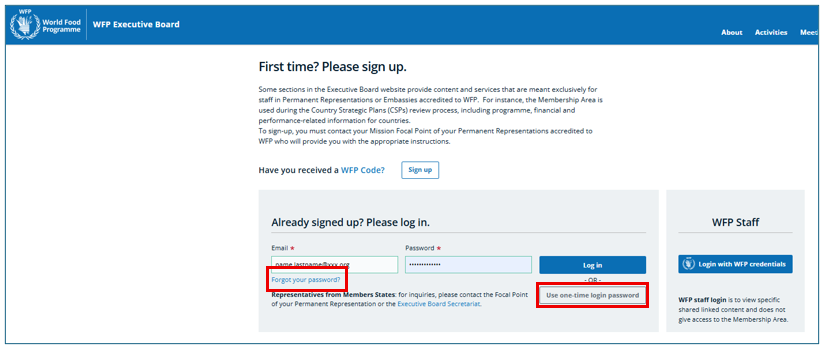
What is the One-Time Login Password (OTP)
A One-Time Password (OTP) provides a quick way to sign in without using your regular password. It is also useful if you have forgotten your password.
To receive an OTP, click "Use one-time login password" and enter the email address associated with your Executive Board account. A one-time code will be sent to your email address. Enter the code in the login form to sign in.